Overview
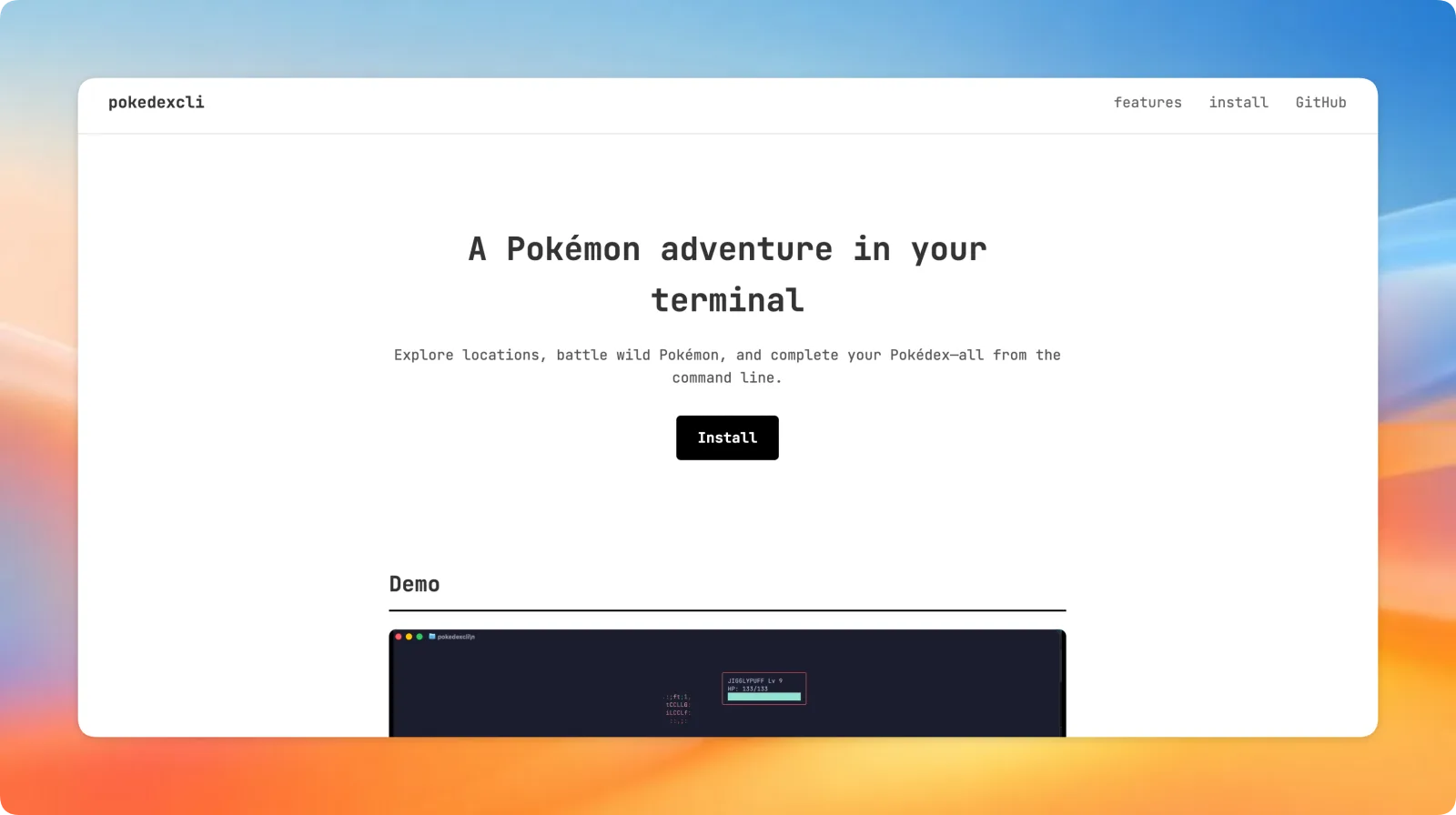
Go is mostly known for APIs, concurrent servers and tools like Docker. But it is also really good at CLI and TUI apps. I wanted to make a game with Go, so I combined two things I like, Pokémon and the terminal, and built Pokedexcli.
You install it, type pokedexcli, and the game opens right in your terminal. You pick a starter, walk around a town, battle, finish quests and catch Pokémon. Your progress saves automatically.
Get it from pokedexcli.vercel.app or read the code on GitHub.
Tech Stack
- Go for everything in the game
- Bubble Tea for the app loop and input
- Lip Gloss for styling, colors and layout
- image2ascii to turn Pokémon sprites into ASCII art
- PokéAPI for Pokémon data
- HTML, CSS and JS for the website, with Cloudinary hosting the demo video
pokedexcli/
├── cmd/pokedex/
├── internal/
│   ├── battle/
│   ├── dialogue/
│   ├── locations/
│   ├── models/
│   ├── npc/
│   ├── player/
│   ├── pokeapi/
│   ├── pokedex/
│   ├── quest/
│   ├── town/
│   └── ui/
│       ├── layout/
│       └── views/
└── website/
Each game system lives in its own package under internal/, so battle code never has to know how the map is drawn.
How Bubble Tea Works
Bubble Tea follows the Elm architecture, which took me a moment to get used to. Your whole app is one model, and there are three parts:
- Model: all the state of the game (where you are, your team, the current screen)
- Update: takes a message like a key press and returns the new model
- View: takes the model and returns a string to draw
You never draw directly to the screen. You just return a string from View, and Bubble Tea redraws it. Once that clicked, building screens like the map, the battle view and the dialogue boxes felt a lot like building UI on the web, just with text.
Lip Gloss is like CSS for the terminal. You make styles with borders, padding and colors and apply them to strings. All the panels in the game (player stats, quests, dialogue) are Lip Gloss boxes placed next to each other.
Getting Pokémon Data
Instead of hardcoding every Pokémon, the game asks PokéAPI. The client is a normal Go HTTP client with a timeout, and the JSON maps straight into structs:
const baseUrl = "https://pokeapi.co/api/v2"

func NewClient() *Client {
	return &Client{
		httpClient: &http.Client{Timeout: 10 * time.Second},
	}
}

type Pokemon struct {
	ID             int            `json:"id"`
	Name           string         `json:"name"`
	Height         int            `json:"height"`
	Weight         int            `json:"weight"`
	BaseExperience int            `json:"base_experience"`
	Types          []PokemonType  `json:"types"`
	Stats          []PokemonStat  `json:"stats"`
	Sprites        PokemonSprites `json:"sprites"`
	Moves          []PokemonMove  `json:"moves"`
}
Turning Sprites Into ASCII
This was the most fun part. PokéAPI gives you a sprite image for each Pokémon. The game downloads it, decodes it with Go's image package and converts it to colored ASCII characters, so you see an actual Charizard made of letters next to its stats.
Getting it to look good took a lot of trying. Too small and you can't tell what it is, too big and it does not fit next to the stats panel.
Battles and Type Effectiveness
Battles use real type matchups. Fire is strong against grass, water is strong against fire, and so on. I stored the whole chart as a nested map, so looking up a multiplier is just typeChart[attack][defender]:
var typeChart = map[string]map[string]float64{
	"fire": {
		"fire":  0.5,
		"water": 0.5,
		"grass": 2.0,
		"ice":   2.0,
		"bug":   2.0,
		// ...
	},
	"water": {
		"fire":   2.0,
		"water":  0.5,
		"grass":  0.5,
		"ground": 2.0,
		// ...
	},
	// ...
}
Most pairs are not in the map at all, because they are just a normal hit. One small trap: reading a missing key from a Go map gives you the zero value, which is 0.0, and that would mean "no effect". So the lookup checks with ok and falls back to 1.0:
func GetTypeEffectiveness(attackType, defenseType string) float64 {
	if effectivenessMap, ok := typeChart[attackType]; ok {
		if multiplyer, ok := effectivenessMap[defenseType]; ok {
			return multiplyer
		}
	}
	return 1.0
}
Leveling Up and Saving
Your player has a level and XP. Each level needs 20% more XP than the last one, which keeps early levels quick and later ones slower:
func (p *Player) LevelUp() bool {
	if p.XP < p.XPToNextLevel {
		return false
	}

	p.XP -= p.XPToNextLevel
	p.Level++

	p.XPToNextLevel = int(float64(p.XPToNextLevel) * 1.2)

	return true
}
The player struct has JSON tags, so saving is just encoding it to a file on disk. When you start the game again, it reads the file back and you continue where you left off.
AI Usage
I mostly used AI to debug. When I got stuck on logic, I asked how something could be done and then wrote my own version from the hints. Everything else, the game design, levels, and systems, I built myself.
What I Learned
I learned a lot about Bubble Tea and Lip Gloss, about how UI rendering works when your only output is a string, and about game logic and level design. Turning images into ASCII and fitting everything into a terminal window was a really fun puzzle.
If you live in the terminal like me, give it a try and catch them all :D